
SiteForge SiteForge
Modules
Log in
Create company account arrow_forward

Information

Company information

SiteForge Construction Software Ltd trading as SiteForge.

Registered in England and Wales. Company number 17313591.

Registered office: 4 Marsa Way, Bridgwater, England, TA6 5JN.

support@siteforge.uk.com 01278 588266
User Terms Privacy Notice Cookies and Browser Storage Notice
Modules Log in
Create company account

SiteForge buyer FAQ

Who is SiteForge for?
SiteForge is built for small and mid-sized UK construction contractors who want to manage project information in one place. Site and office teams can work together and invite subcontractors and consultants into the projects they need.
What can I use today?
You can manage documents, drawings and specifications, RFIs, procurement, site photos, information required schedules and design approvals. Core tools also include a project dashboard and directory. Tools marked Coming soon on the Modules page aren’t available yet.
How much does SiteForge cost?
Standard pricing is £500 per company account per year, plus a per project fee of 0.07% of each project’s value. For example, the core tools fee for a £1 million project is £700, with the annual account subscription charged separately. Optional paid tools are priced separately where available. Prices exclude any applicable VAT. See for current rates and offers.
Do you charge per user?
No. There are no per-user charges or seat limits on a project. You can invite colleagues, subcontractors and consultants without paying for extra seats, and control what each person can access.

SiteForge construction project tools

See how SiteForge helps construction teams manage drawing revisions, track RFIs and coordinate procurement. Tools marked “Planned” are not currently available.

Drawings
Review drawing revisions and markups, and find earlier issues in the drawing register.
RFIs
Issue requests for information, see who owes a response and keep accepted answers with the project record.
Procurement
Track packages, tenderers, due dates and next actions in one procurement register.
Create company account arrow_forward
arrow_back Home

* Coming soon

dashboard Dashboard

Included core tool

◈

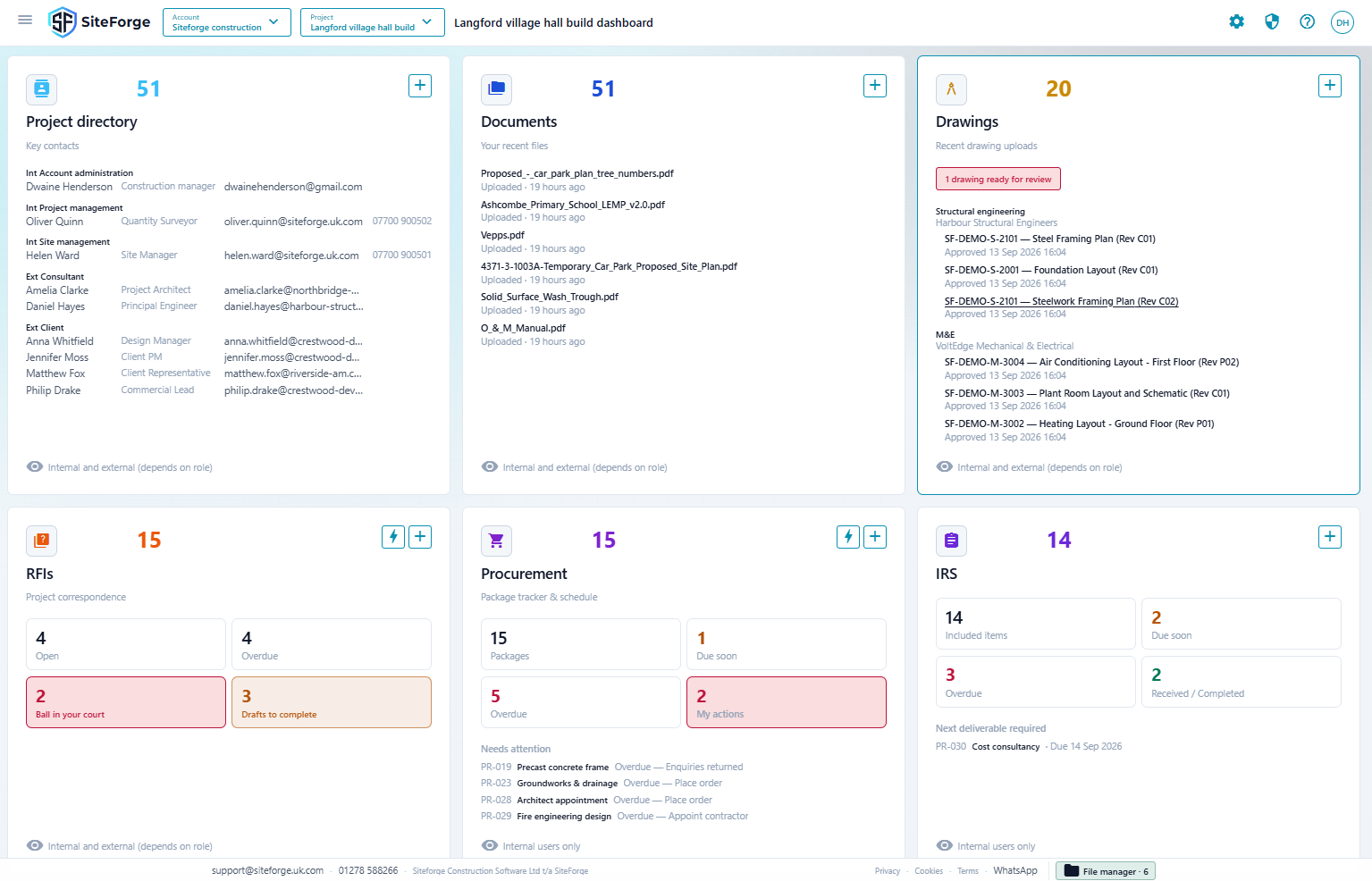
Account and project dashboards

Dashboards for company account, and individual projects.

◉

Account

Account billing, directory, and projects.

◎

Project

Project level status across tools, at a glance.

dashboard Dashboard

Included core tool

Your project universe,
one command center.

Get an instant snapshot of every project's status, billing, and team activity — all from a single, unified dashboard. No more hunting across systems.

siteforge.uk.com/app/dashboard
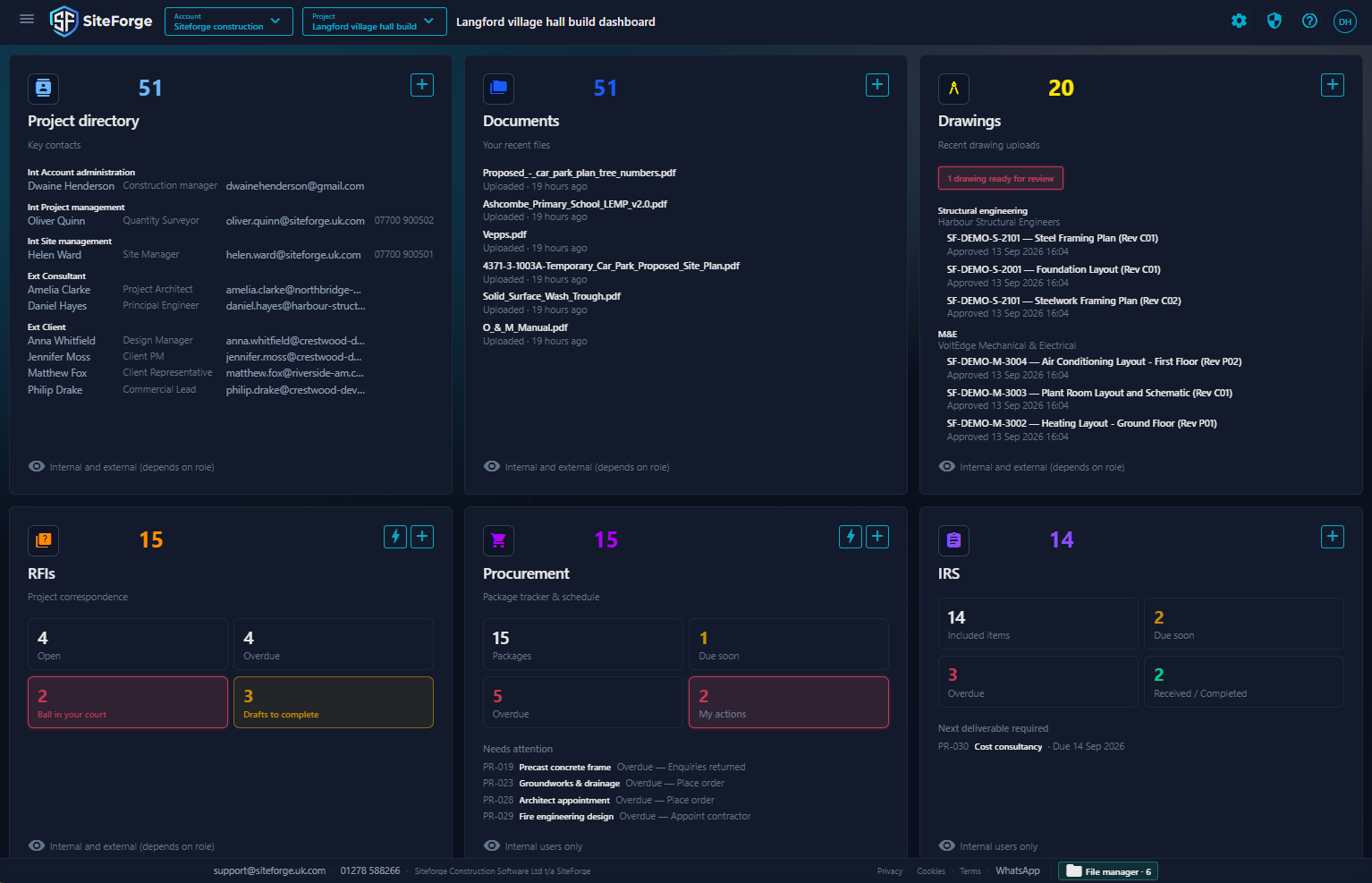
SiteForge Dashboard module screenshot SiteForge Dashboard module screenshot
Create company account arrow_forward
SiteForge Dashboard module screenshot SiteForge Dashboard module screenshot

What you get

  • check Multi-project overviews
  • check Subscription & billing status
  • check Users can only view information defined by their roles
  • check Account and project users via easy to use directories.
  • check At a glance project status for each tool.
Create company account arrow_forward

contacts Directory

Included core tool

◈

Account and project directories

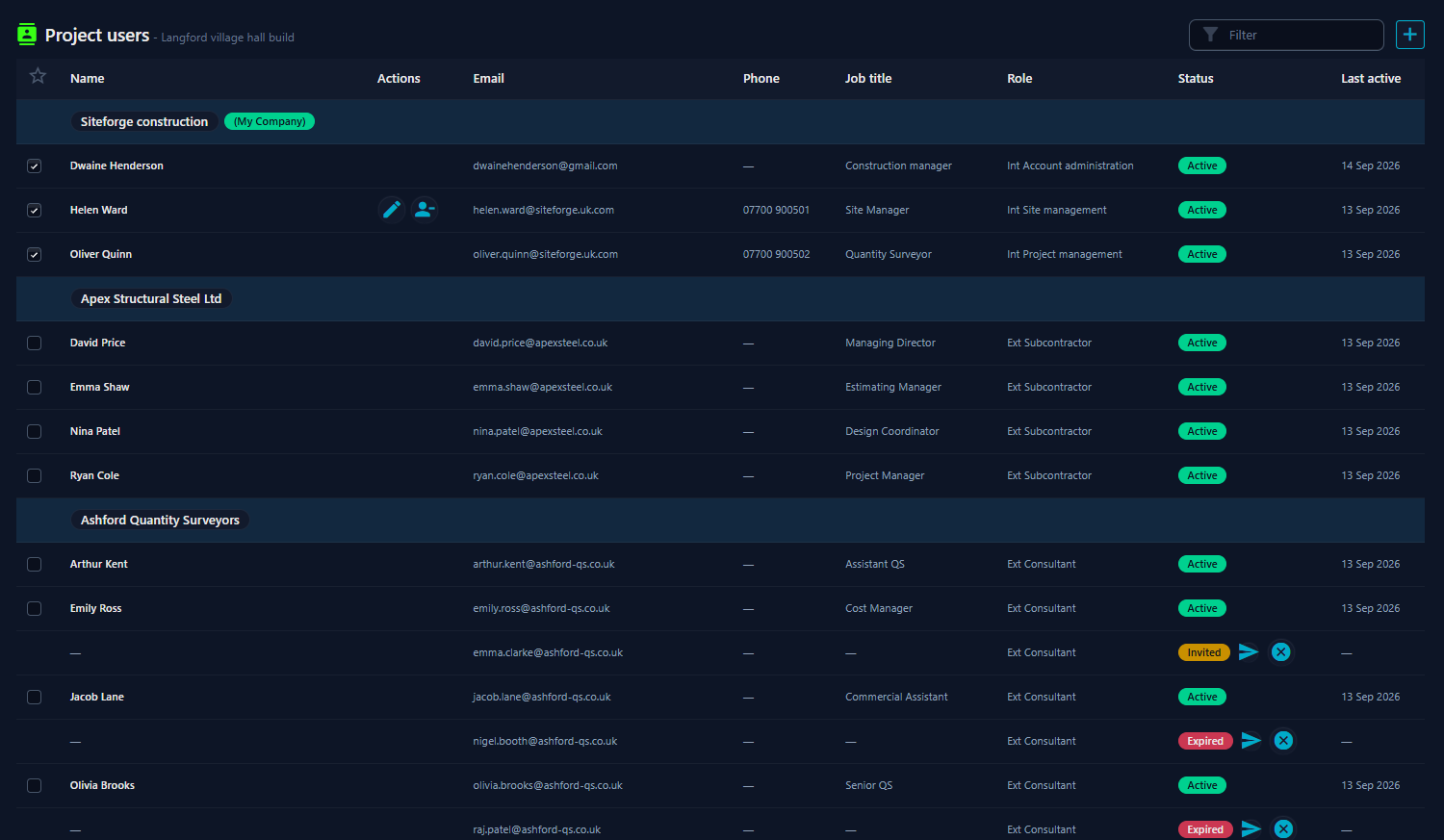
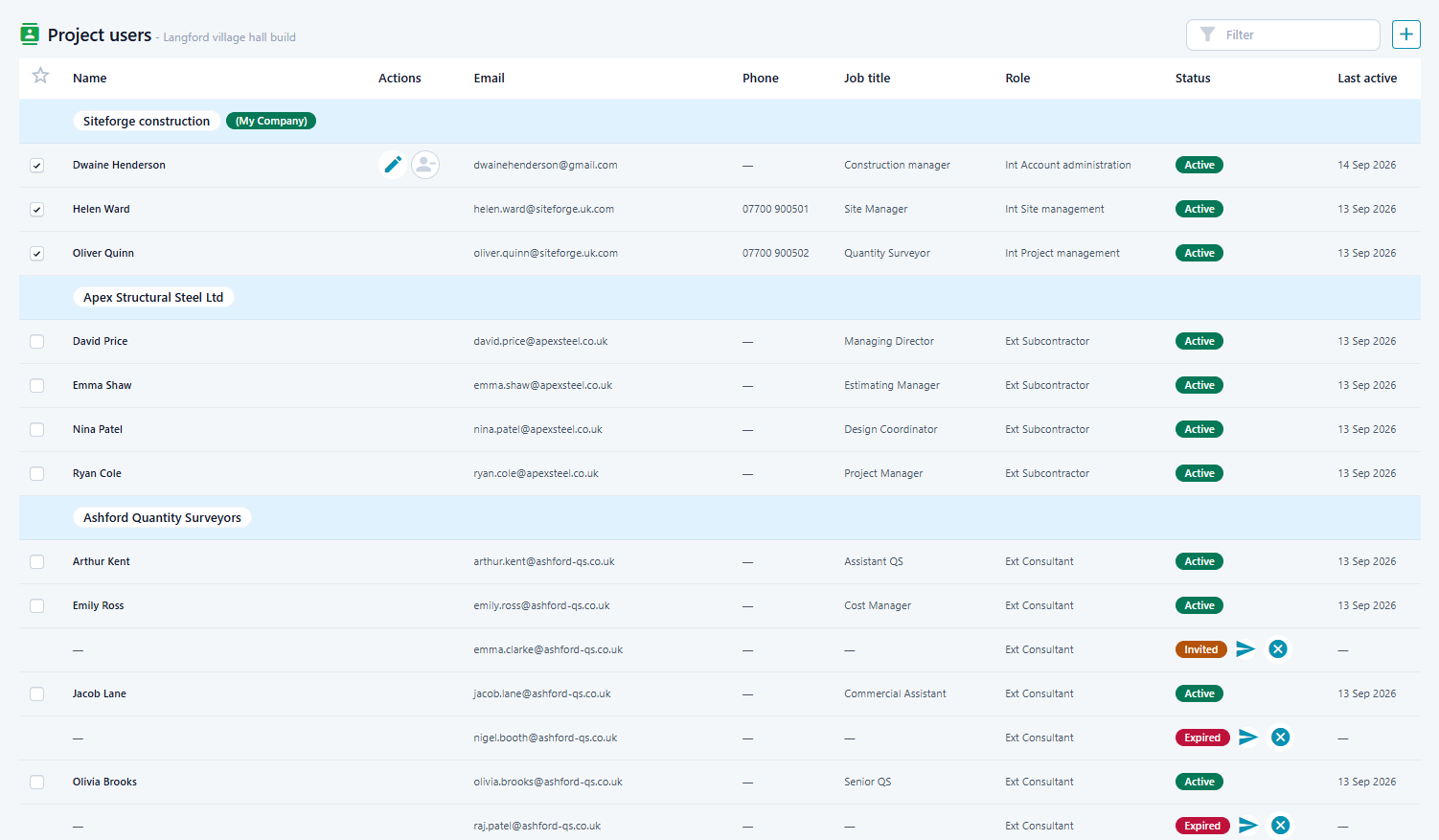
Manage the company-wide directory, then open a project directory for the people on that job.

◎

Companies and roles

Group people by company, assign sensible roles such as Site manager, Project manager, Consultant, or Client, and control what they can see and do.

◉

Invites that stick

Send invites, track pending acceptance, and keep membership status clear for the whole team.

contacts Directory

Included core tool

Every contact,
across projects.

Keep companies and people in one place. Invite them once into your account directory, then add them to projects with the right role — without rebuilding the same list for every job.

siteforge.uk.com/app/directory
SiteForge Directory module screenshot SiteForge Directory module screenshot
Create company account arrow_forward
SiteForge Directory module screenshot SiteForge Directory module screenshot

What you get

  • check Account & project directories
  • check Company-grouped contacts
  • check Role-based access
  • check Invite, resend, and remove
Create company account arrow_forward

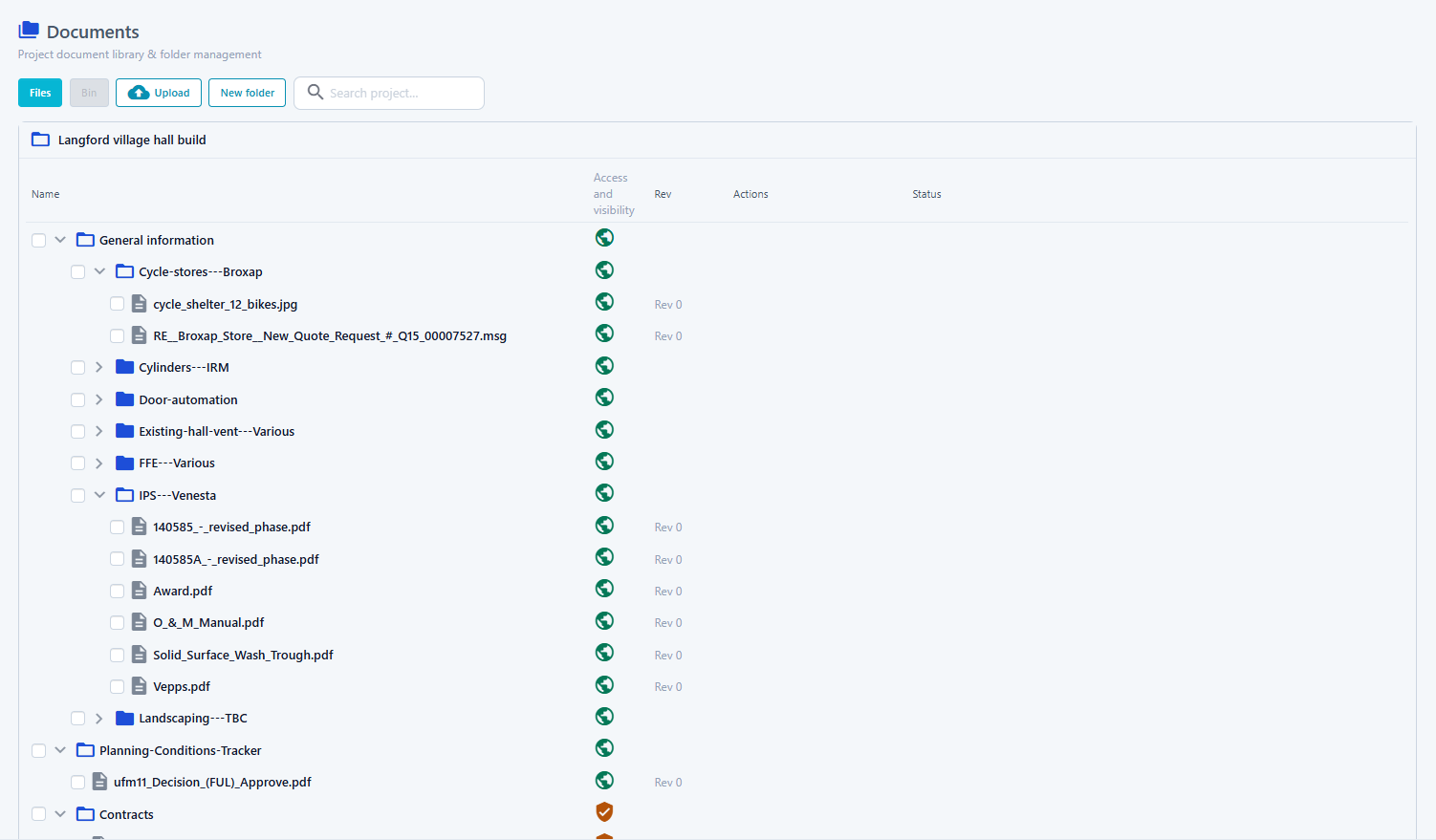
folder_copy Documents

Included core tool

◈

Folder browse

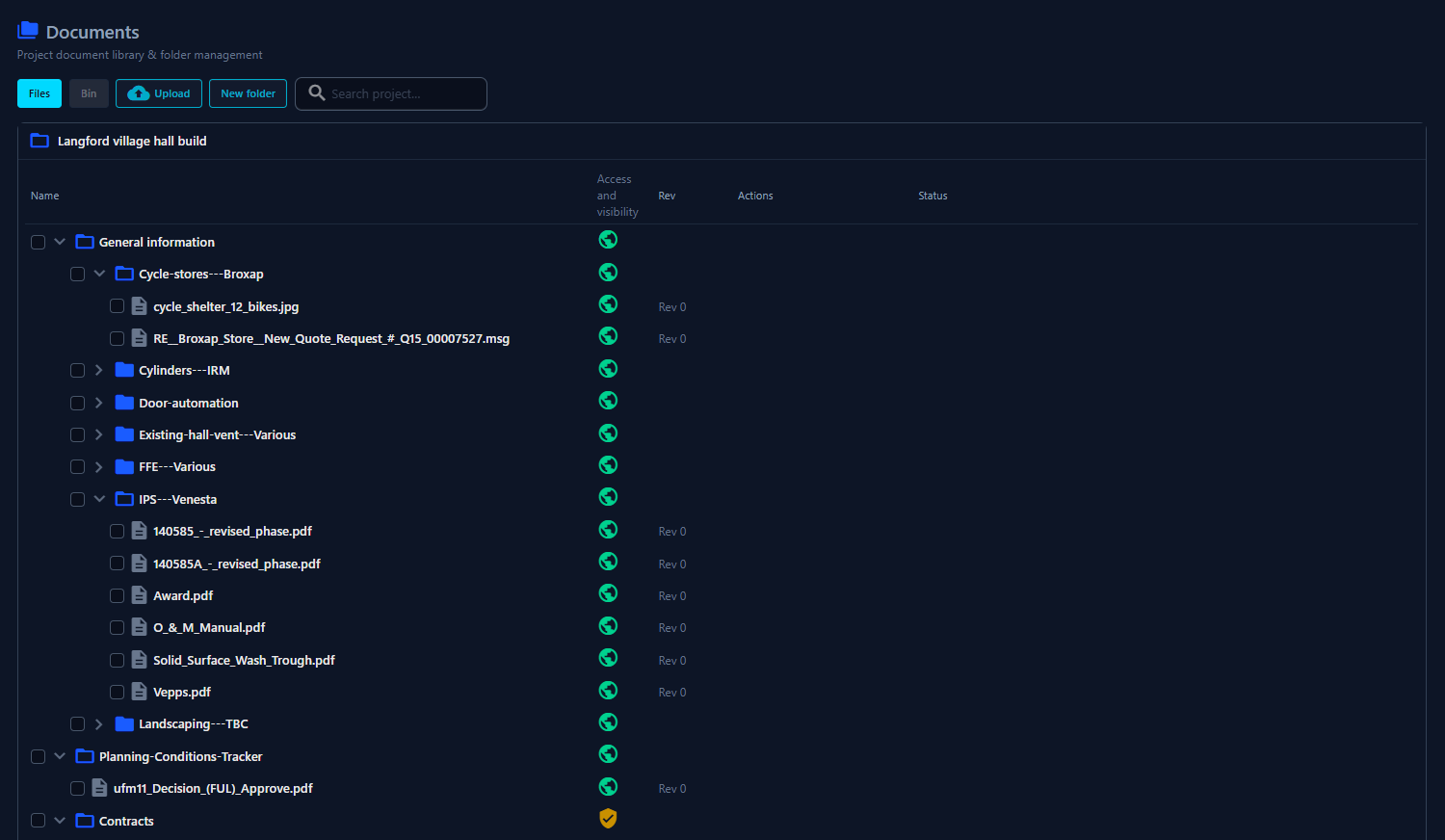
Nested project folders with Files and Bin surfaces, search, and bulk actions that stay practical under pressure.

◉

Revisions that stay with the file

See which revision is current and open the history without hunting through email attachments.

◎

Shared transfers

Uploads and downloads run through the shared File Manager so progress and completion stay visible while you keep working.

folder_copy Documents

Included core tool

Project documents,
in one place.

Browse folders on the project, upload with shared File Manager progress, keep revision history with each file, and use Bin when something needs to come back.

siteforge.uk.com/app/documents
SiteForge Documents module screenshot SiteForge Documents module screenshot
Create company account arrow_forward
SiteForge Documents module screenshot SiteForge Documents module screenshot

What you get

  • check Project folder tree
  • check Revision history
  • check Private / controlled folders
  • check Files + Bin lifecycle
Create company account arrow_forward

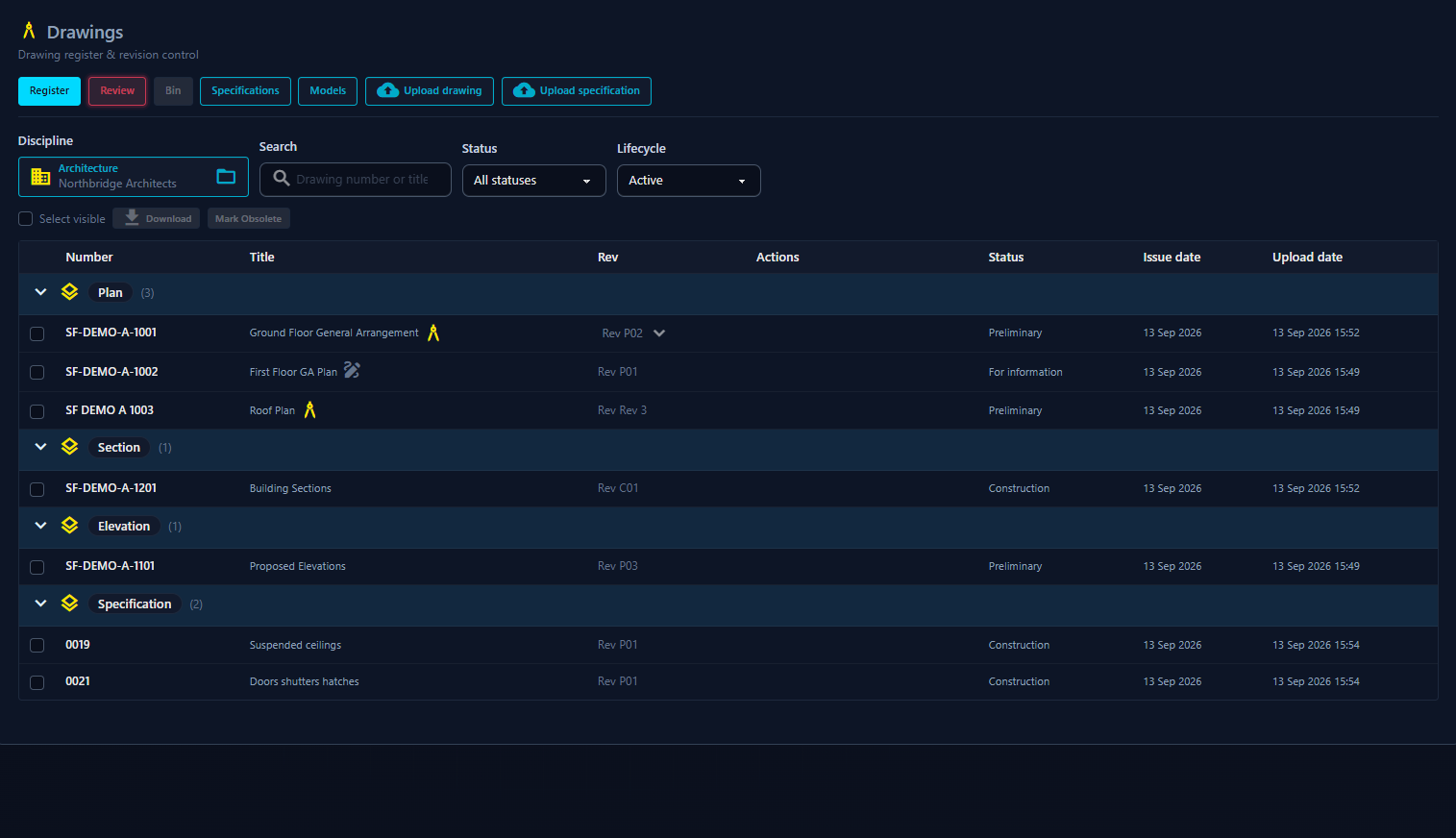
architecture Drawings

Included core tool

◈

Register by Discipline and Area

Pick a Discipline, then work Plan / Section / Elevation / Detail (or custom Areas) with number, title, Rev, and status in one register.

◉

Drawing lineage and issues

Each Drawing keeps its issued history. Set current, mark Obsolete when needed, and restore issues from Bin without losing the trail.

◎

Upload, CAD, Models, and Specs

PDF batch upload and quick revision drop, optional CAD on an issue, a simple Models tab per Discipline, and specifications — with shared File Manager progress.

architecture Drawings

Included core tool

The latest revision,
always at hand.

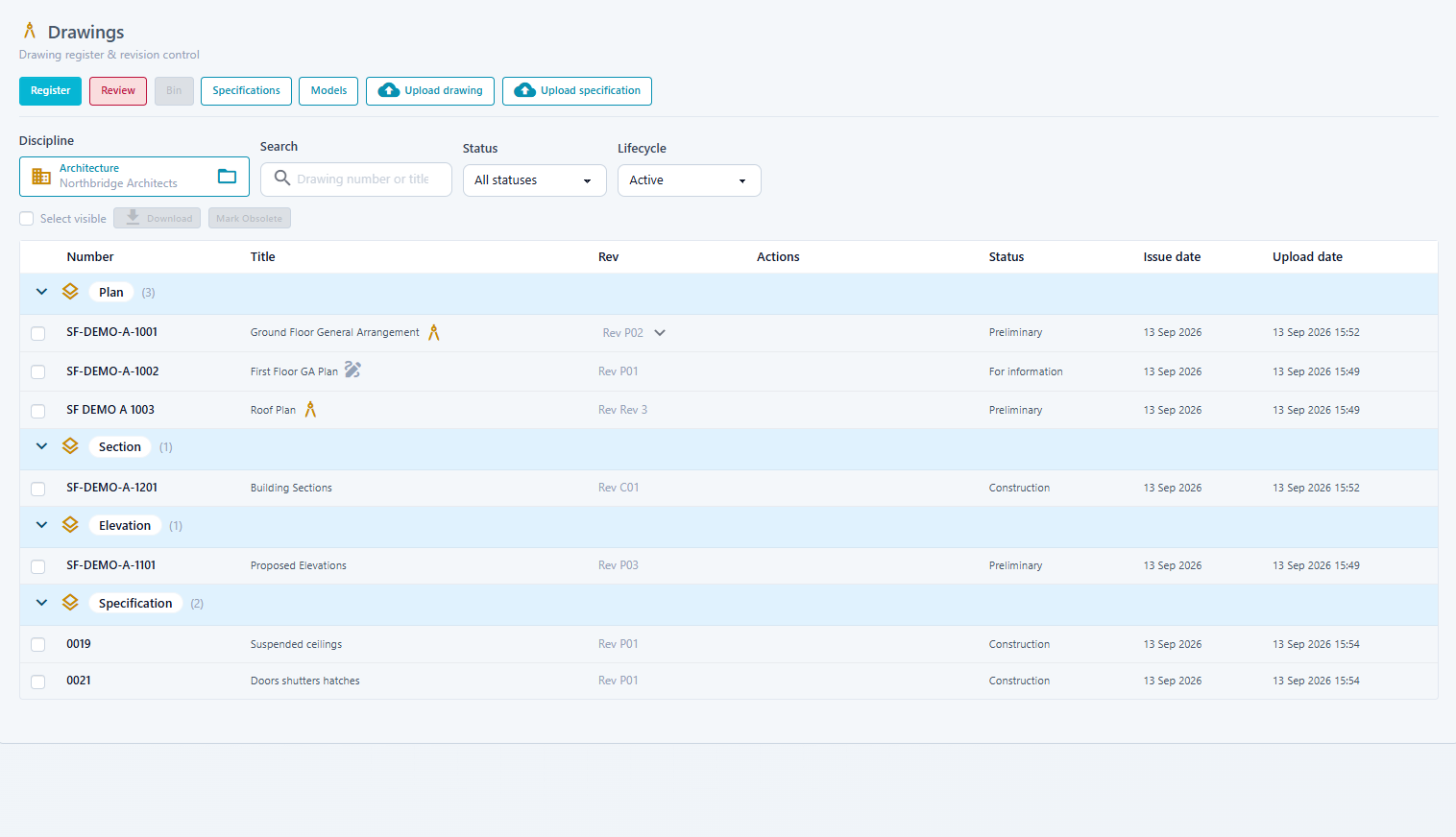
Browse one Discipline at a time, group sheets by Area, and keep each Drawing lineage with its issued revisions. Upload PDFs, review before they hit the register, and download securely.

siteforge.uk.com/app/drawings
SiteForge Drawings module screenshot SiteForge Drawings module screenshot
Create company account arrow_forward
SiteForge Drawings module screenshot SiteForge Drawings module screenshot

What you get

  • check Discipline → Area register
  • check Issue history & Obsolete
  • check PDF review before live register
  • check Secure PDF / CAD / Model / Spec downloads
Create company account arrow_forward

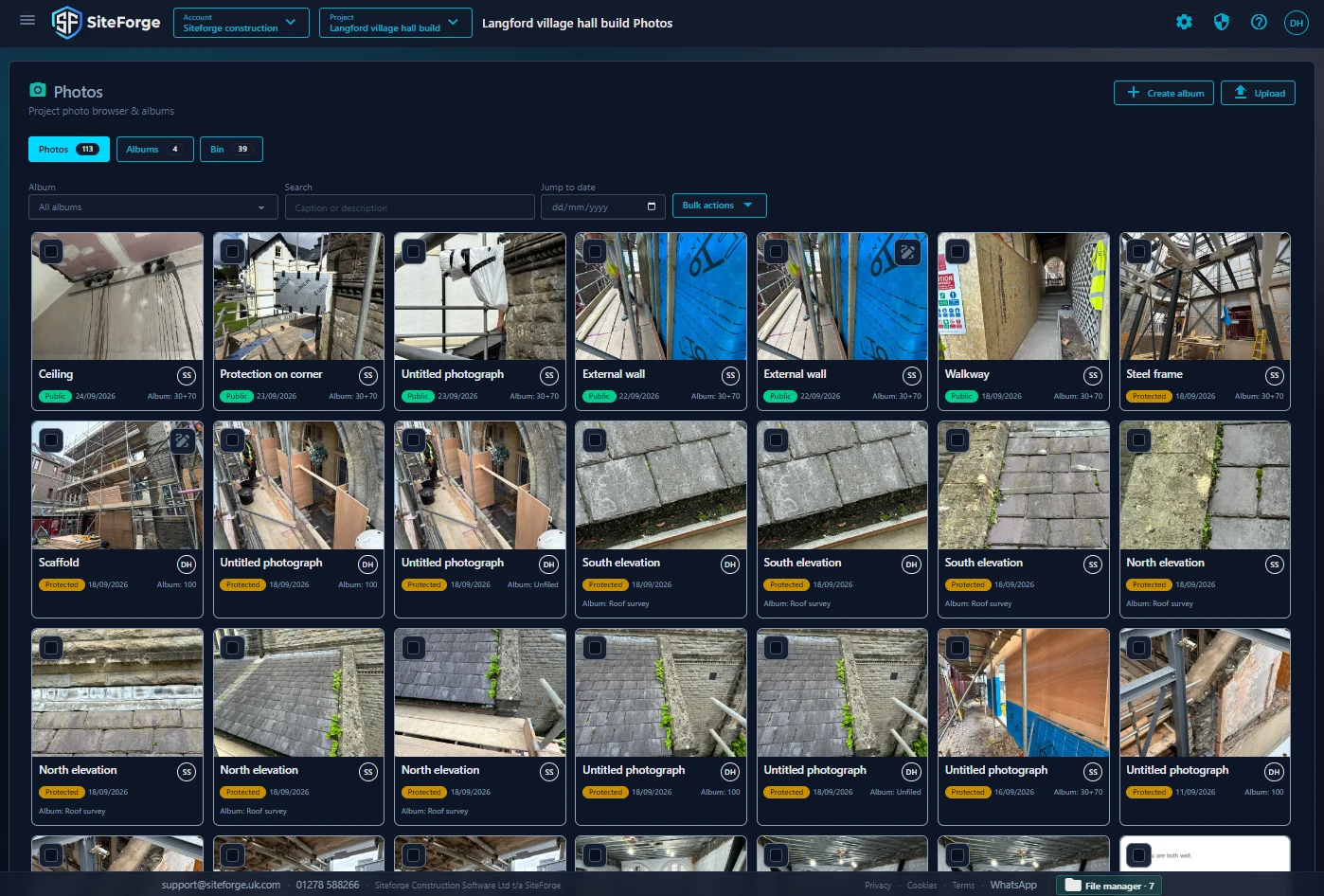
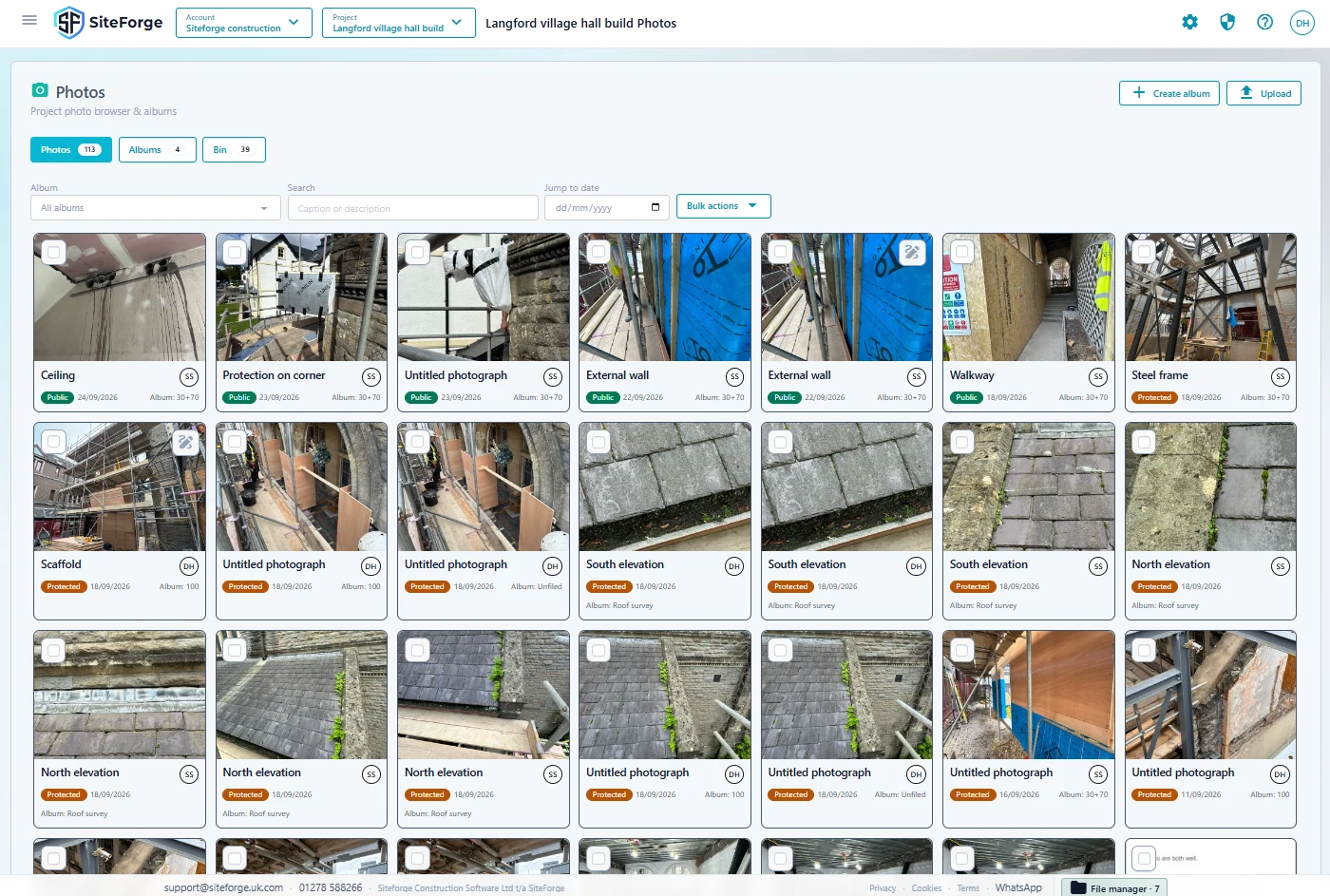
photo_camera Photos

Included core tool

◈

Site capture

Upload from desktop or capture photographs directly from site.

◉

Albums & search

Organise photos into albums, then search and filter them quickly.

◎

Photo markups

Add clear markups using the same familiar tools used on drawings.

◈

Photo reports

Select multiple photographs and generate clean PDF reports in seconds.

photo_camera Photos

Included core tool

Turn site photos into
a usable project record.

Capture, organise, mark up and reuse photographs without losing them across phones, folders and message threads.

siteforge.uk.com/app/photos
SiteForge Photos module screenshot SiteForge Photos module screenshot
Create company account arrow_forward
SiteForge Photos module screenshot SiteForge Photos module screenshot

What you get

  • check Albums, tags & search
  • check Desktop & mobile capture
  • check Photo markups
  • check RFI attachments
  • check PDF photo reports
Create company account arrow_forward

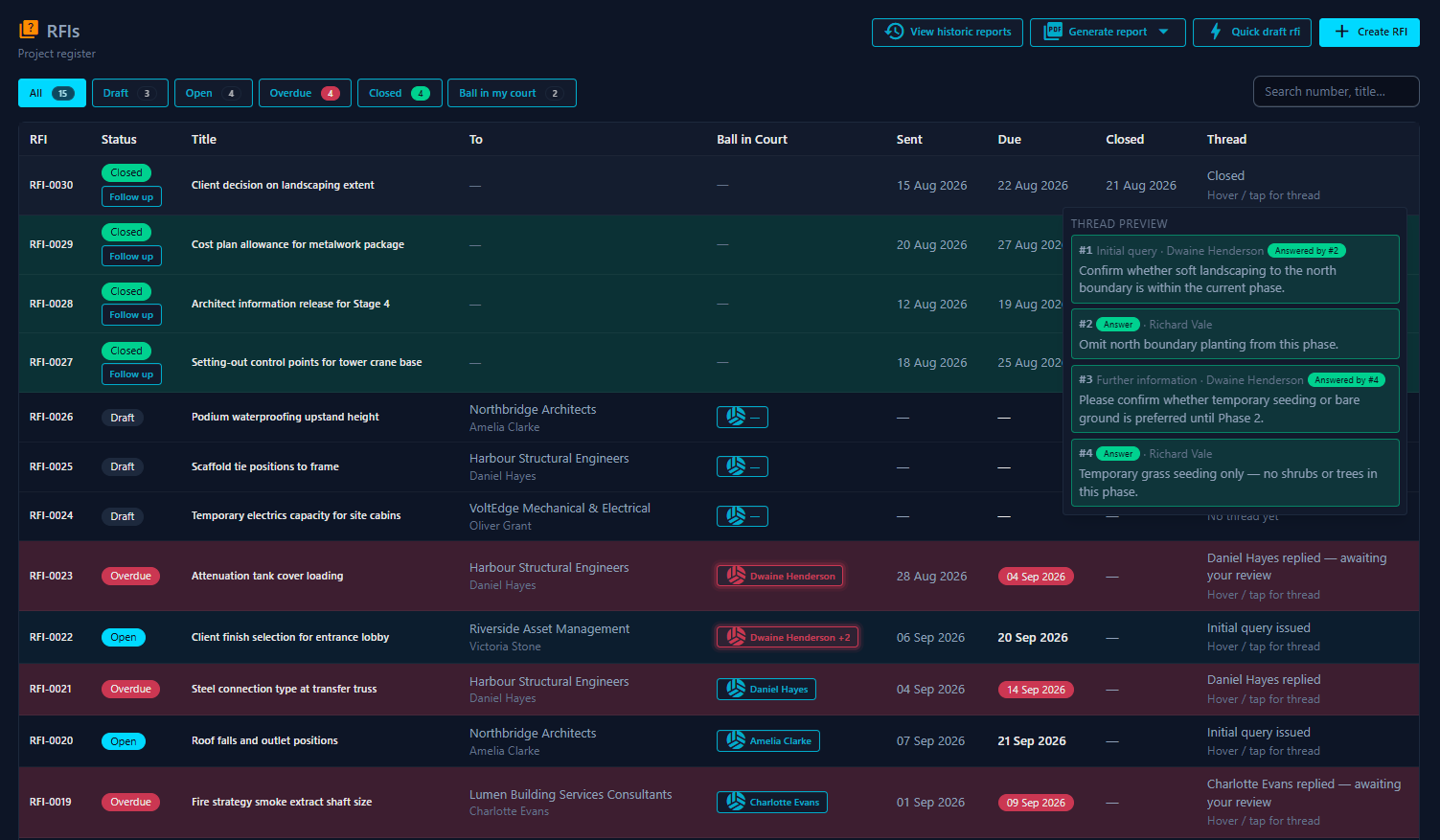
quiz RFIs

Included core tool

◈

Structured requests

Consistent RFI format across every project, with full tracking of responses.

◉

Response tracking

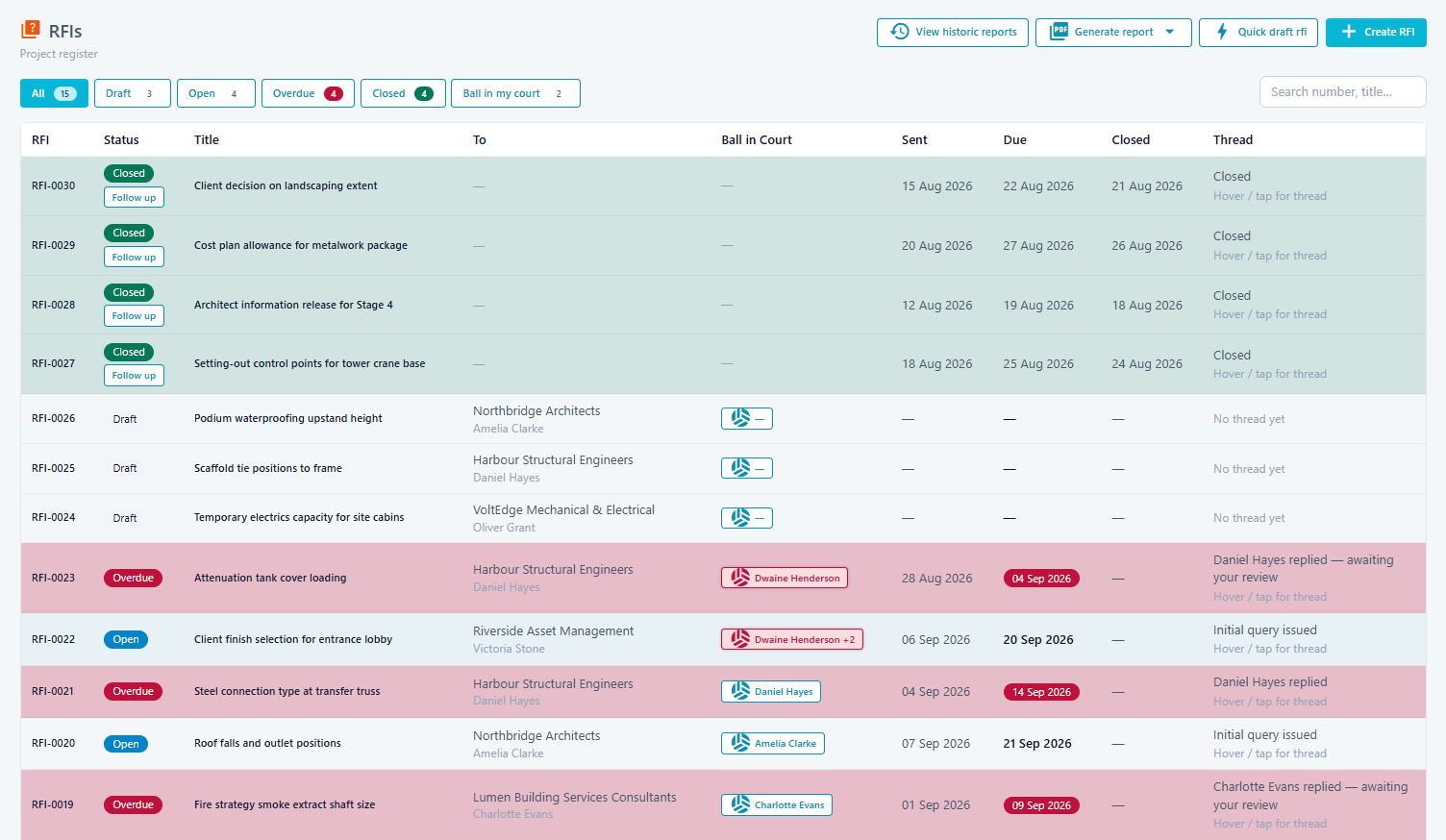
Know at a glance when an RFI is open, overdue, or closed, or see the full thread at a glance.

◎

Document linkage

Attach drawings and documents directly to the RFI record.

◈

Full reports

Output simple progress reports for client meetings.

quiz RFIs

Included core tool

Every question,
answered and archived.

Submit, record, and resolve Requests for Information without losing them in email threads. The full response chain is preserved and searchable, forever.

siteforge.uk.com/app/rfis
SiteForge RFIs module screenshot SiteForge RFIs module screenshot
Create company account arrow_forward
SiteForge RFIs module screenshot SiteForge RFIs module screenshot

What you get

  • check Numbered RFI log
  • check Status & due-date tracking
  • check Drawing & document attachments
  • check PDF export
Create company account arrow_forward

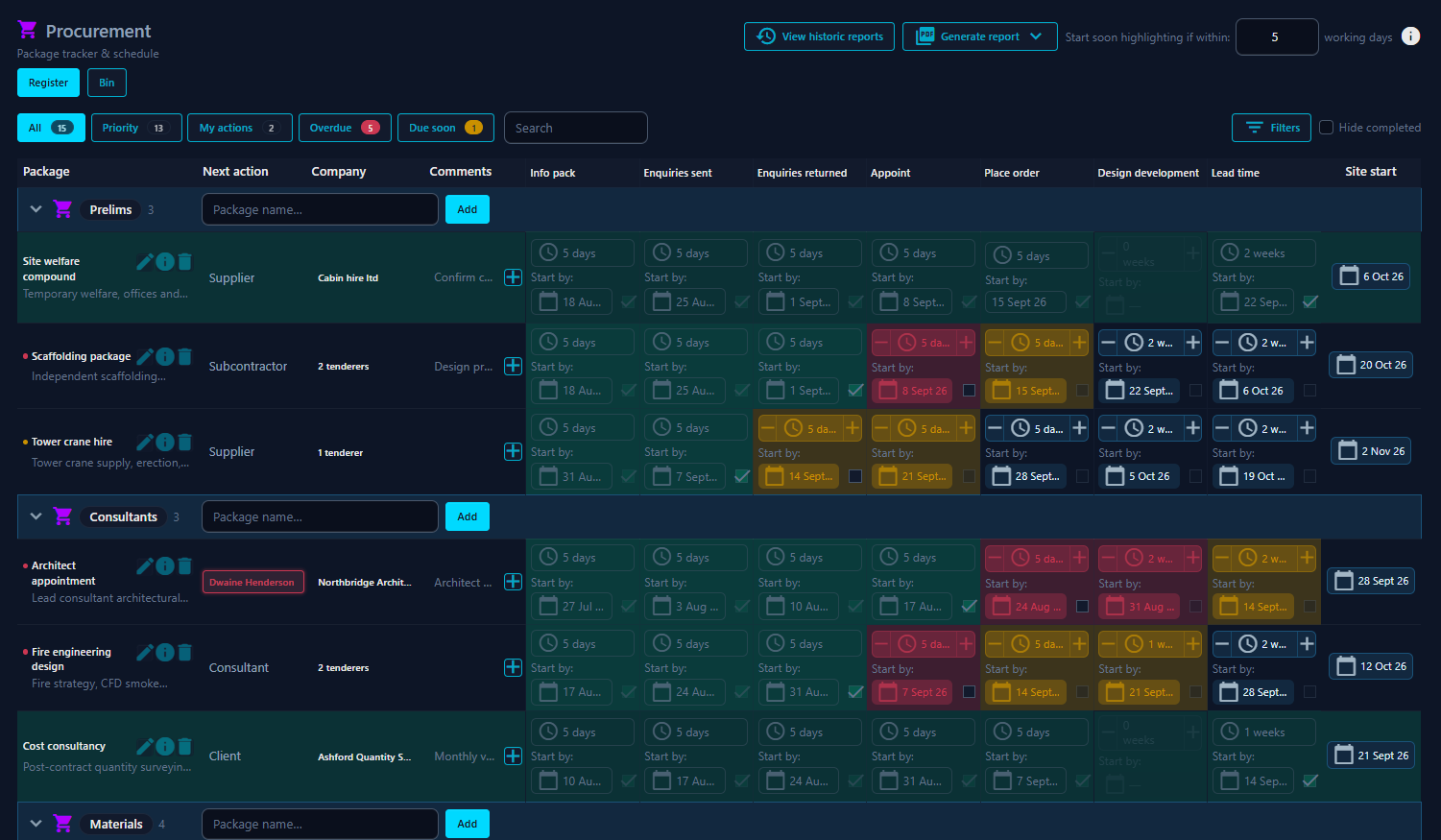
shopping_cart Procurement

Included core tool

◈

Live register

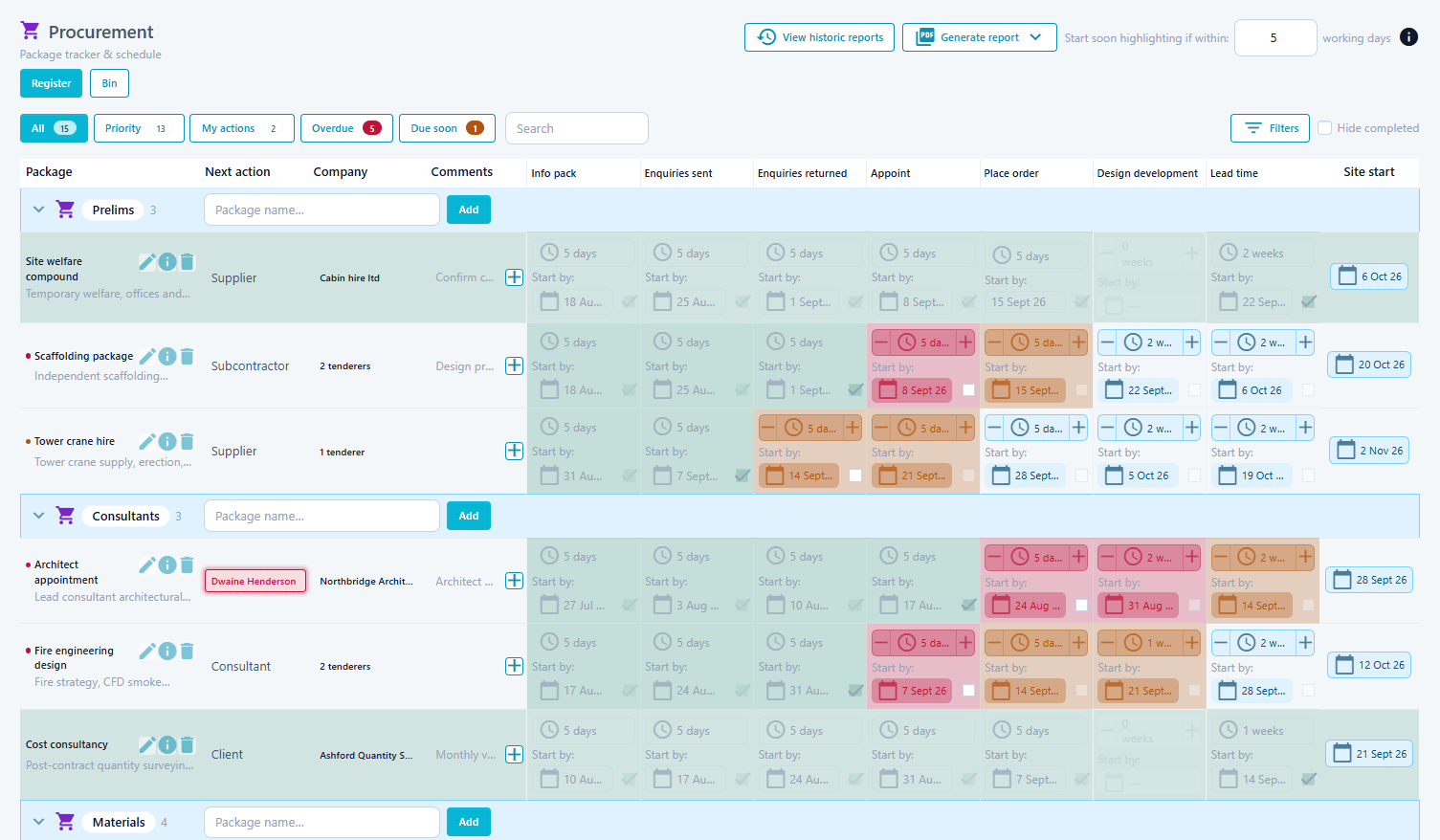
Category sections with quick-add package names, then Next action, Company, comments and stage status in one compact schedule.

◉

Backward schedule

Enter Site start and Days/Weeks per stage. SiteForge calculates the programme dates and highlights overdue and due-soon work.

◎

Package depth

Open a package for tenderers, quotations, appointed company, contacts, Documents/Drawings files, comments and audit history — without losing the register view.

shopping_cart Procurement

Included core tool

Procurement tracking,
without the spreadsheets.

Build the package list, set Site start, and let stage durations generate the key dates. Work from a live register that shows overdue, due-soon, Priority and My actions, with tenderers.

siteforge.uk.com/app/procurement
SiteForge Procurement module screenshot SiteForge Procurement module screenshot
Create company account arrow_forward
SiteForge Procurement module screenshot SiteForge Procurement module screenshot

What you get

  • check Category register + Priority / My actions
  • check Auto dates from Site start & durations
  • check Next action ownership
  • check Tenderers, files & history on Package Show
Create company account arrow_forward

assignment IRS

Included core tool

◈

Built from Procurement

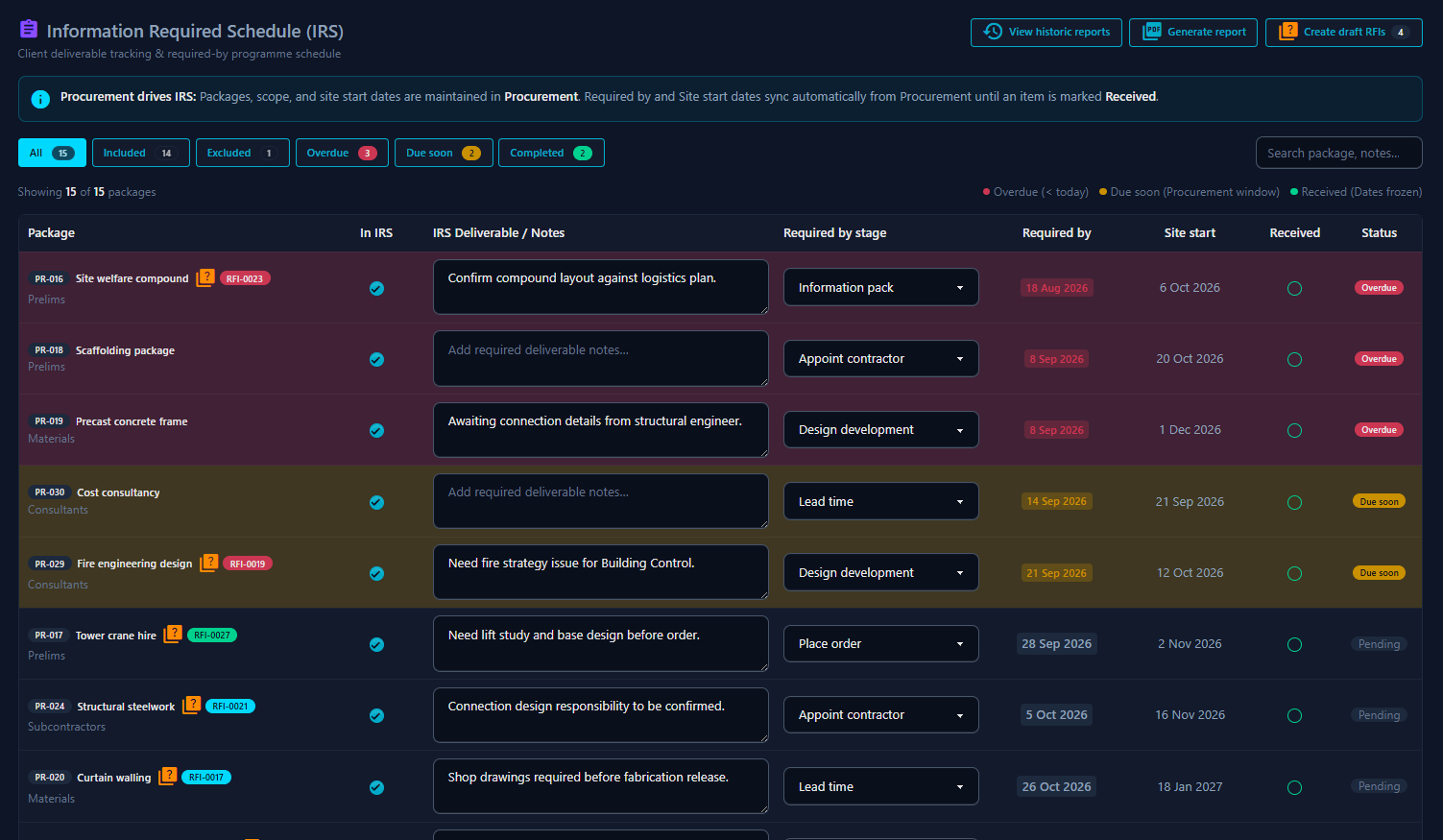
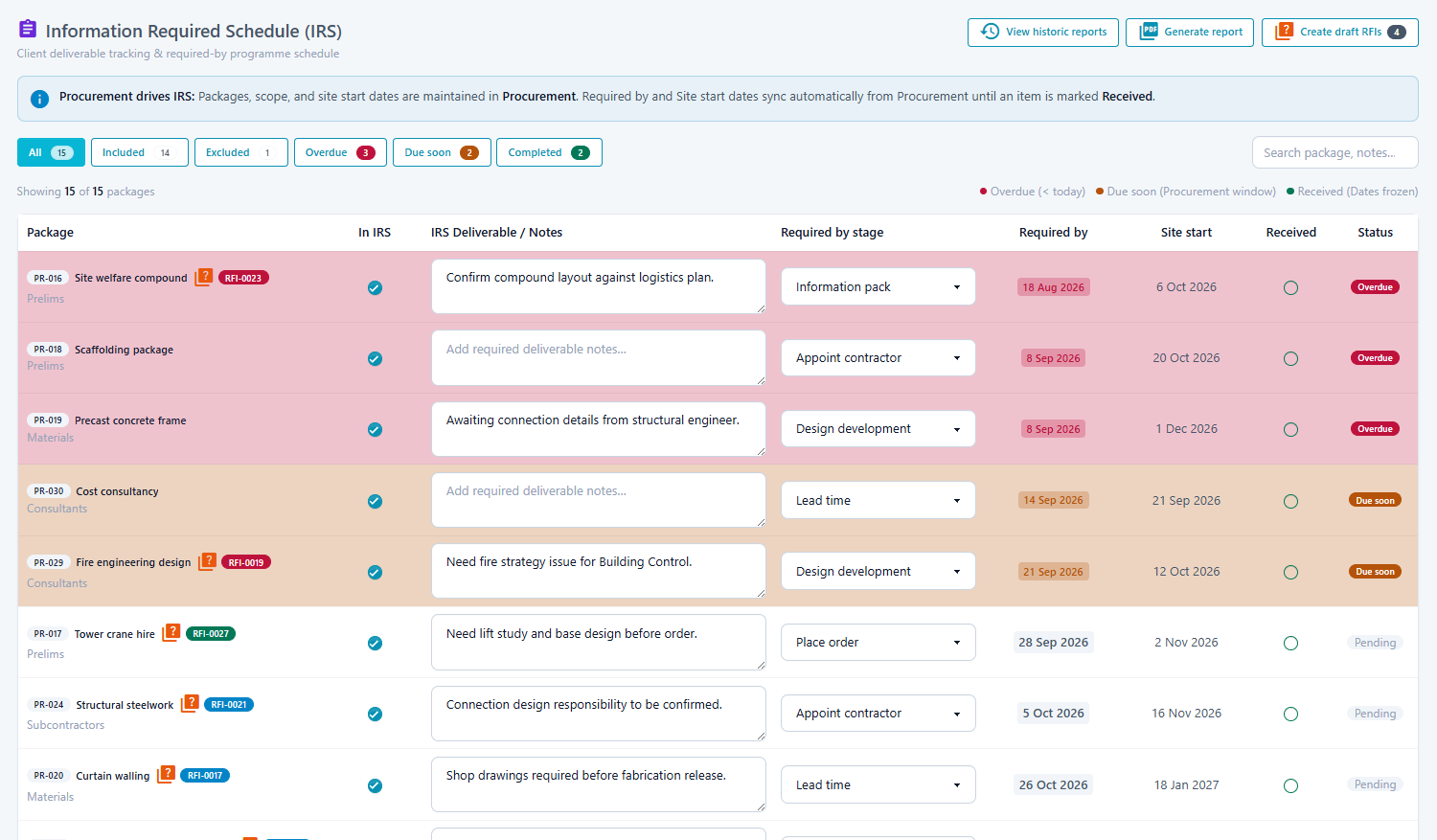
Create the IRS automatically from live Procurement packages and programme dates, without rebuilding a separate spreadsheet tracker.

◉

Outstanding to RFI

Track outstanding and received information against the current programme, then create draft RFIs directly from IRS items when information needs requesting formally.

◎

Reports with history

Generate formal IRS reports for meetings and keep previous report revisions on record for a clear project trail.

assignment IRS

Included core tool

A live IRS,
built from Procurement.

Turn Procurement packages into a live Information Required Schedule. Keep required-by dates coordinated as the programme moves and raise draft RFIs from outstanding items.

siteforge.uk.com/app/irs
SiteForge IRS module screenshot SiteForge IRS module screenshot
Create company account arrow_forward
SiteForge IRS module screenshot SiteForge IRS module screenshot

What you get

  • check Live schedule from Procurement packages
  • check Required-by dates stay coordinated
  • check Outstanding and received tracking
  • check Draft RFIs from IRS items
  • check Formal reports with revision history
Create company account arrow_forward

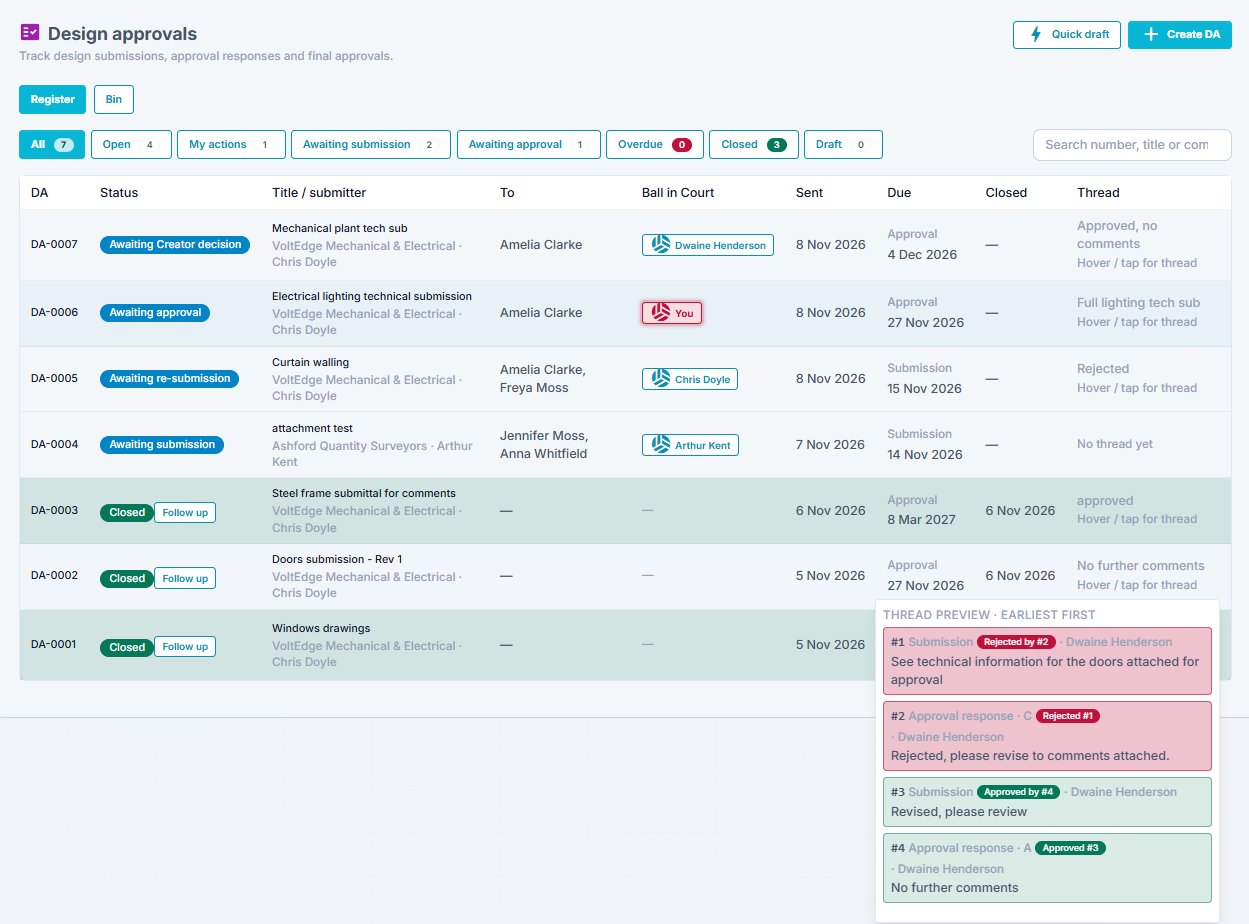
fact_check Design approvals

Included core tool

◈

Submissions and evidence

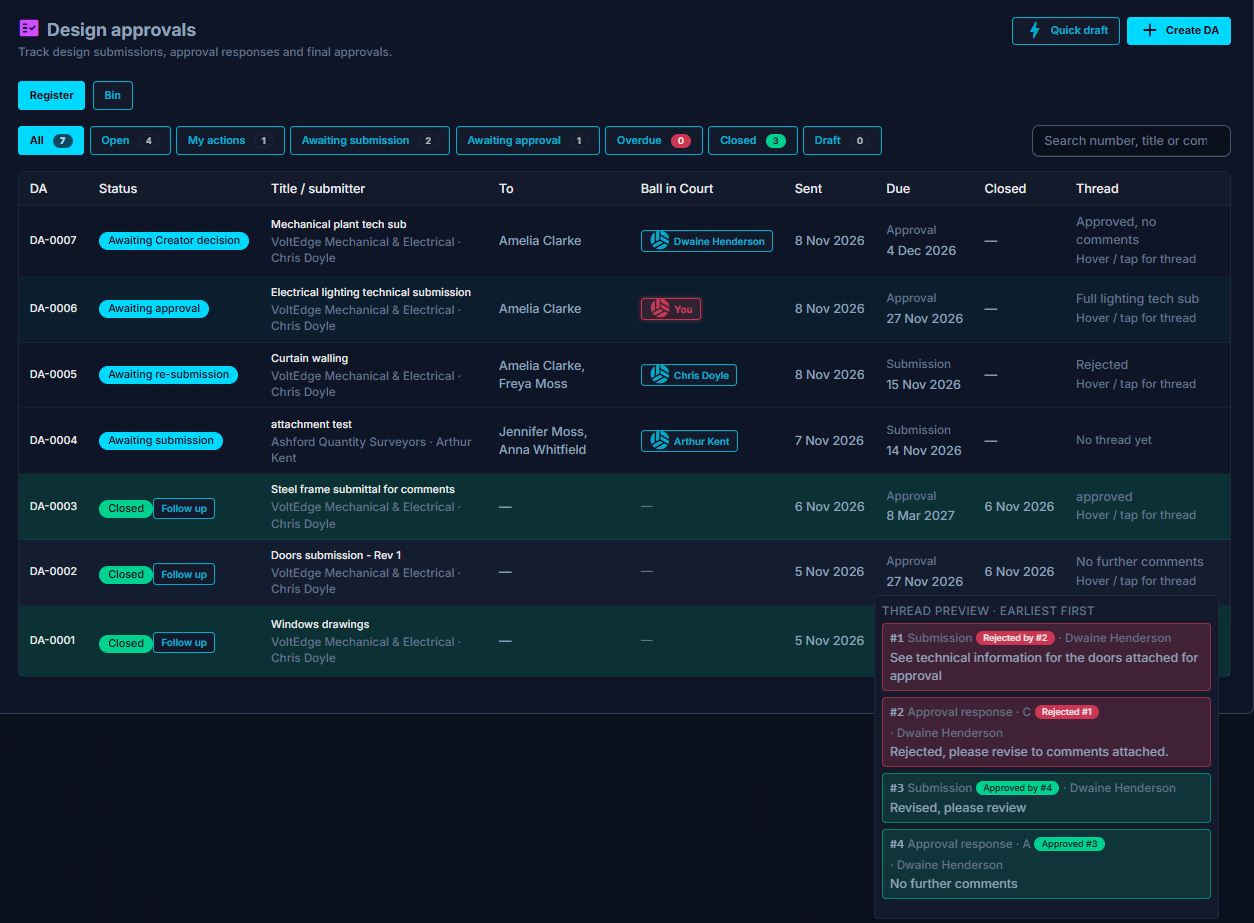
Start with a quick draft or a full request. Upload evidence or attach separate copies of SiteForge drawings, documents and photos, with markups where needed.

◉

Approval and re-submission

Record A/B/C decisions for individuals or companies. Track remaining approvers and return rejected designs for re-submission without losing earlier responses.

◎

Dates and next actions

See submission and approval deadlines, overdue items and My actions. Internal users can link approval dates to Procurement stages and confirm later date changes.

◈

Connected project record

Link related RFIs, preview correspondence from the register and produce PDF reports. Closing retains a final report with the design decisions and evidence links.

fact_check Design approvals

Included core tool

Design submissions,
clear decisions and next actions.

Take design information from initial submission through approval, re-submission and closure. Keep the files, A/B/C responses and revision history together, with clear Ball in Courts.

siteforge.uk.com/app/design_approvals
SiteForge Design approvals module screenshot SiteForge Design approvals module screenshot
Create company account arrow_forward
SiteForge Design approvals module screenshot SiteForge Design approvals module screenshot

What you get

  • check A/B/C approval responses
  • check Ball in Court and due dates
  • check Submission and revision history
  • check Register, individual and audit reports
Create company account arrow_forward

extension Site management

Planned module package · Coming soon

◈

Safety and readiness

Bring RAMS, inductions and permit records into the same package.

◉

Daily site records

Keep attendance, inspections, snags and the site diary together.

◎

One package cost

Purchase the package once for the project, with all seven member tools included.

(coming soon)

extension Site management

Planned module package

Seven site tools,
one module package.

One package for RAMS, Inductions, Signing in, Snags, Permits, Inspections and Site Diary. Purchase all seven tools together for the project; members are not sold individually.

siteforge.uk.com/app/site_management

Screenshot coming soon

Create company account arrow_forward

Screenshot coming soon

What you get

  • check RAMS
  • check Inductions
  • check Signing in
  • check Snags
  • check Permits
  • check Inspections
  • check Site Diary
Create company account arrow_forward

event_note Site Diary

Planned module · Coming soon

Part of the Site management module package

◈

Daily entries

Record weather, workforce, and key site events against each working day.

◉

Weekly checklists

Weekly QA and H&S checklists, to ensure each site is managed to meet relevant regulations.

◎

Export-ready

Pull a clean diary extract when you need it for meetings or records.

(coming soon)

event_note Site Diary

Planned module

Part of the Site management module package

What happened on site,
recorded properly.

Capture daily site conditions, labour, plant, and progress notes in one place — so the diary is usable for progress meetings and claims, not lost in notebooks.

siteforge.uk.com/app/site_diary

Screenshot coming soon

Create company account arrow_forward

Screenshot coming soon

What you get

  • check Day-by-day site log
  • check Labour and plant notes
  • check H&S checklists
  • check Meeting-ready extracts
Create company account arrow_forward

school Inductions

Planned module · Coming soon

Part of the Site management module package

◈

Induction register

See induction status for everyone coming onto the project.

◉

RAMs linking

Link site inductions directly to relevant rams.

◎

Site readiness

Confirm induction requirements before people start on site.

(coming soon)

school Inductions

Planned module

Part of the Site management module package

Site inductions,
tracked and current.

Know who has been inducted, access emergency contact details, and link to RAMs within the documents tool.

siteforge.uk.com/app/inductions

Screenshot coming soon

Create company account arrow_forward

Screenshot coming soon

What you get

  • check Induction register
  • check RAM linking
  • check Trade / company filtering
  • check Site readiness checks
Create company account arrow_forward

fact_check Permits

Planned module · Coming soon

Part of the Site management module package

◈

Permit workflow

Move permits from request through approval to close-out.

◉

Live status

See which permits are open, approved, or expired today.

◎

Linked evidence

Keep related documents and notes with the permit record.

(coming soon)

fact_check Permits

Planned module

Part of the Site management module package

Permit to work,
controlled on site.

Raise, approve, and close permits so high-risk work stays authorised and visible to the people running the site.

siteforge.uk.com/app/permits

Screenshot coming soon

Create company account arrow_forward

Screenshot coming soon

What you get

  • check Permit register
  • check Approval workflow
  • check Open / closed status
  • check Linked attachments
Create company account arrow_forward

how_to_reg Signing in

Planned module · Coming soon

Part of the Site management module package

◈

Live attendance

See who is currently signed in on the project.

◉

Visitor and labour logs

Capture visitors and site labour in one flow.

◎

Daily record

Keep a clear attendance history for each site day.

(coming soon)

how_to_reg Signing in

Planned module

Part of the Site management module package

Who is on site,
known in real time.

Sign people in and out so the site team always knows who is present for safety, welfare, and attendance records.

siteforge.uk.com/app/signing_in

Screenshot coming soon

Create company account arrow_forward

Screenshot coming soon

What you get

  • check Live sign-in board
  • check Visitor logging
  • check Labour attendance
  • check Daily history
Create company account arrow_forward

health_and_safety RAMS

Planned module · Coming soon

Part of the Site management module package

◈

RAMS records

Keep risk assessments and method statements with the project.

◉

Review status

Make outstanding reviews easier to identify.

◎

Site readiness

Keep relevant working methods close to induction and permit records.

(coming soon)

health_and_safety RAMS

Planned module

Part of the Site management module package

Plan the work,
record the safe method.

Risk assessment and method statement tools to help teams keep safe working information organised and available on the project.

siteforge.uk.com/app/rams

Screenshot coming soon

Create company account arrow_forward

Screenshot coming soon

What you get

  • check Risk assessments
  • check Method statements
  • check Review tracking
Create company account arrow_forward

approval Inspections

Planned module · Coming soon

Part of the Site management module package

◈

Inspection records

Keep planned checks and their findings together.

◉

Supporting evidence

Record the information behind an inspection result.

◎

Follow-up actions

Make outstanding inspection actions easier to find.

(coming soon)

approval Inspections

Planned module

Part of the Site management module package

Check the work,
keep the evidence.

Inspection tools to help site teams record checks, findings and supporting evidence in one project record.

siteforge.uk.com/app/inspections

Screenshot coming soon

Create company account arrow_forward

Screenshot coming soon

What you get

  • check Site checks
  • check Findings and evidence
  • check Follow-up records
Create company account arrow_forward

rule Snags

Planned module · Coming soon

Part of the Site management module package

◈

Snag register

Keep defects in one project list.

◉

Clear responsibility

Identify who needs to resolve each snag.

◎

Close-out record

Retain progress and completion information.

(coming soon)

rule Snags

Planned module

Part of the Site management module package

Spot the snag,
track it to completion.

Snagging tools to help teams record defects, identify who needs to act and keep a clear record of progress.

siteforge.uk.com/app/snags

Screenshot coming soon

Create company account arrow_forward

Screenshot coming soon

What you get

  • check Defect records
  • check Action ownership
  • check Completion tracking
Create company account arrow_forward

menu_book O&M

Planned module · Coming soon

◈

Automatic build

Built from information in the procurement packages tool.

◉

Simple tracking

Easily request information, track receipt, and chase.

◎

Simple process

Tracking and recording O&M information is no longer an "it can wait until later" job.

(coming soon)

menu_book O&M

Planned module

O&M manuals information,
collated as you go.

Request and record information for operations and maintenance manuals through the project, so handover is not a last-minute scramble.

siteforge.uk.com/app/manuals

Screenshot coming soon

Create company account arrow_forward

Screenshot coming soon

What you get

  • check Automatic build
  • check Packages feed in
  • check Request and track
  • check Automatically tracked, from project kickoff
Create company account arrow_forward

price_change Variations

Planned module · Coming soon

◈

Variation register

Drawings are often issued without appropriate change logs. Record any drawing changes as they are issued, so they are not forgotten.

◉

Cost visibility

Keep commercial impact visible against each change.

◎

Linked scope

Connect variations to drawings and packages

(coming soon)

price_change Variations

Planned module

Variations tracked,
not buried in email.

Record instructions and commercial change so the team can see what changed, when, and what it affects on the project.

siteforge.uk.com/app/variations

Screenshot coming soon

Create company account arrow_forward

Screenshot coming soon

What you get

  • check Variation register
  • check Never lose a VO
  • check Commercial notes
  • check Linked project records
Create company account arrow_forward

design_services Design management

Planned module · Coming soon

◈

Package tracking

See design package status from draft to issued.

◉

Coordination notes

Capture clashes and actions against the right package.

◎

Issue readiness

Know what is ready to issue to site and supply chain.

(coming soon)

design_services Design management

Planned module

Design packages,
coordinated clearly.

Manage design deliverables, package status, and coordination so design progress is visible to the site and commercial teams.

siteforge.uk.com/app/design

Screenshot coming soon

Create company account arrow_forward

Screenshot coming soon

What you get

  • check Design package register
  • check Status visibility
  • check Coordination actions
  • check Issue readiness
Create company account arrow_forward

construction Hire & materials

Planned module · Coming soon

◈

Hire register

See what plant is on hire, due back, or overdue.

◉

Materials visibility

Track key materials received on site this week.

◎

Cost awareness

Keep hire and materials notes linked to the project record.

(coming soon)

construction Hire & materials

Planned module

Plant and materials,
under control.

Track hired plant and materials on the project so returns, shortages, and site needs are visible before they become delays.

siteforge.uk.com/app/hire_materials

Screenshot coming soon

Create company account arrow_forward

Screenshot coming soon

What you get

  • check Plant hire register
  • check Return dates
  • check Materials tracking
  • check Project-linked notes
Create company account arrow_forward
support@siteforge.uk.com
·
01278 588266
·
Company details

SiteForge Construction Software Ltd trading as SiteForge.

Registered in England and Wales. Company number 17313591.

Registered office: 4 Marsa Way, Bridgwater, England, TA6 5JN.

Privacy · Cookies · User Terms ·
WhatsApp

Legal document

Open PDF separatelyDownload PDF

If the PDF does not display, use Open PDF separately or Download PDF.

Enable JavaScript to change this setting, or use your browser's site-data controls.

Support

Contact support@siteforge.uk.com, or use WhatsApp (new tab) / telephone 01278 588266.

Support is available Monday–Friday, 09:00–16:30 UK time, excluding UK bank holidays.

We provide an initial response within one working day and aim to respond within one hour during support hours, although this shorter timeframe is not guaranteed.

An initial response acknowledges your enquiry and may request further information; it does not guarantee resolution. Service outages and security incidents are prioritised according to their impact.